file-store
FileStore documentation
Application Architecture
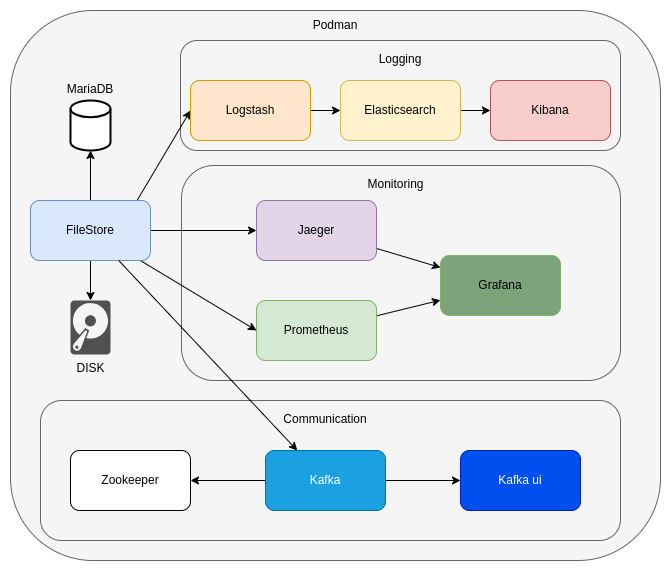
The architectural design of the application is detailed in the diagram provided.
Environment variables
The following environment variables can be configured when running the application:
| Environment variable | Sample value | Description |
|---|---|---|
| SPRING_PROFILES_ACTIVE | dev | The profile to run with the application. |
| LOGSTASH_ENABLED | “true” | Enable or disable log forwarding to Logstash ("true" or "false"). |
| LOGSTASH_HOST | logstash | The name of the logstash container to push the logs from the springboot app. It is only required when the LOGSTASH_ENABLED environemnt variable is "true". |
| LOGSTASH_PORT | 5000 | The port of the logstash container. It is only required when the LOGSTASH_ENABLED environemnt variable is "true". |
| TRACING_ENABLED | “true” | Enable or disable tracing ("true" or "false"). |
| TRACING_URL | http://jaeger:4318/v1/traces | The url of the jaeger instance for sending tracing details. It is only required when the TRACING_ENABLED environemnt variable is "true". |
| KAFKA_ENABLED | “true” | If set to "true" messages about file operations (such as successful uploads) will be sent to the appropriate Kafka topic. |
| KAFKA_URL | evocelot-kafka:9092 | The url of the kafka instance. |
| KAFKA_GROUP_ID | file-group | The id of the kafka group. |
| SPRING_DATASOURCE_URL | jdbc:mariadb://evocelot-mariadb:3306/sample | The JDBC URL of the DBMS to connect to. |
| SPRING_DATASOURCE_USERNAME | root | The username for connecting to the DBMS. |
| SPRING_DATASOURCE_PASSWORD | admin | The password for connecting to the DBMS. |
| SPRING_DATASOURCE_DRIVER_CLASS_NAME | org.mariadb.jdbc.Driver | The fully qualified name of the JDBC driver class used for the DBMS connection. |
| BUFFER_SIZE | 8192 | The size of the buffer determines the size of the chunks in which we read files into memory. The smaller its value, the more we load the CPU during file processing, but the less we burden the RAM. |
| MAX_FILE_SIZE | 10MB | The maximum allowed size for an individual file in a multipart request. |
| MAX_REQUEST_SIZE | 10MB | The maximum allowed size for the entire multipart HTTP request, including all files and form data. |
Volumes
You can mount the directory where you want to store the uploaded files as a volume for the application.
Within the application, you need to bind that directory to the /store path to access your files.
For example:
podman run \
    --name filestore \
    -p 8082:8080 \
    -v ./stored-files:/store \
    evocelot/filestore:1.0.0 \
According to the example, you will find the uploaded files in the /stored-files directory on your local computer.
Kafka topic configuration
If the KAFKA_ENABLED environment variable is set to "true", the following event will be triggered.
file-saved
Upon a successful file upload, the metadata of the uploaded file will be published to the file-saved topic in JSON format. All file metadata will be included in the message, allowing the associated module to easily identify which object the uploaded file belongs to (objectId).
Example message:
{
	"id": "005d24ec-06ff-48fc-b885-918a3ef9f35a",
	"insDate": "2025-02-20T16:24:28.445605948Z",
	"insUser": "unknown",
	"modDate": "2025-02-20T16:24:28.541182597Z",
	"modUser": "unknown",
	"version": 2,
	"name": "test",
	"extension": "pdf",
	"hash": "F97754C1321D159ADFAD80E1EDB0568B",
	"objectId": "35hg24ec-06ff-48fc-b925-918a3ef9ju76",
	"systemId": ""
}
Logging
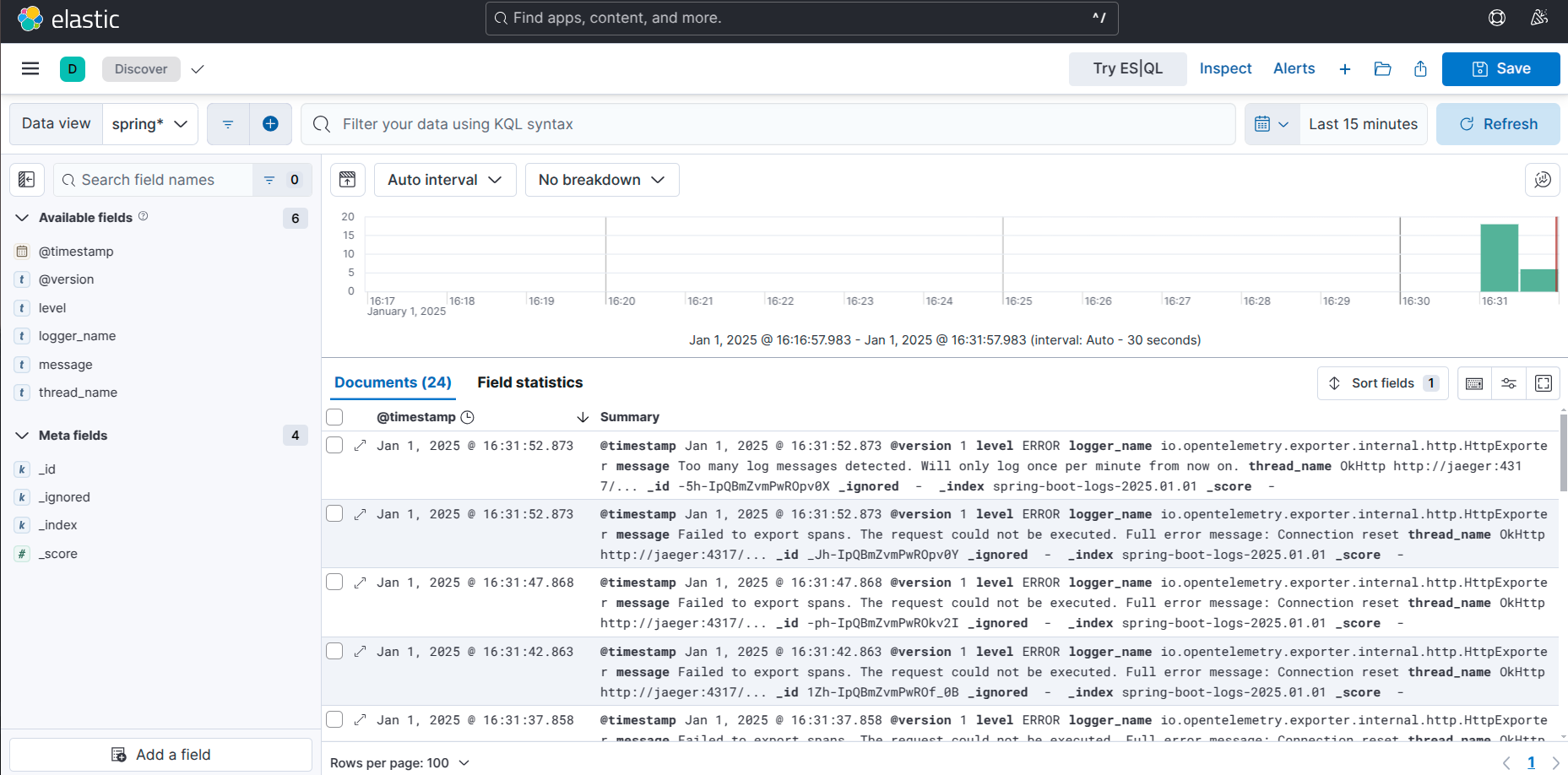
The project utilizes the ELK stack for centralized log collection and monitoring:
- Logstash: Extracts logs from the application and forwards them to Elasticsearch.
- Elasticsearch: Stores, indexes, and makes the application’s logs searchable.
- Kibana: Provides a user interface for managing the logs stored in Elasticsearch.
NOTE: To enable log forwarding to Logstash, set the
LOGSTASH_ENABLEDenvironment variable to"true"in the container’s startup configuration.
View logs in Kibana:
Monitoring
The project integrates the following tools for monitoring and observability:
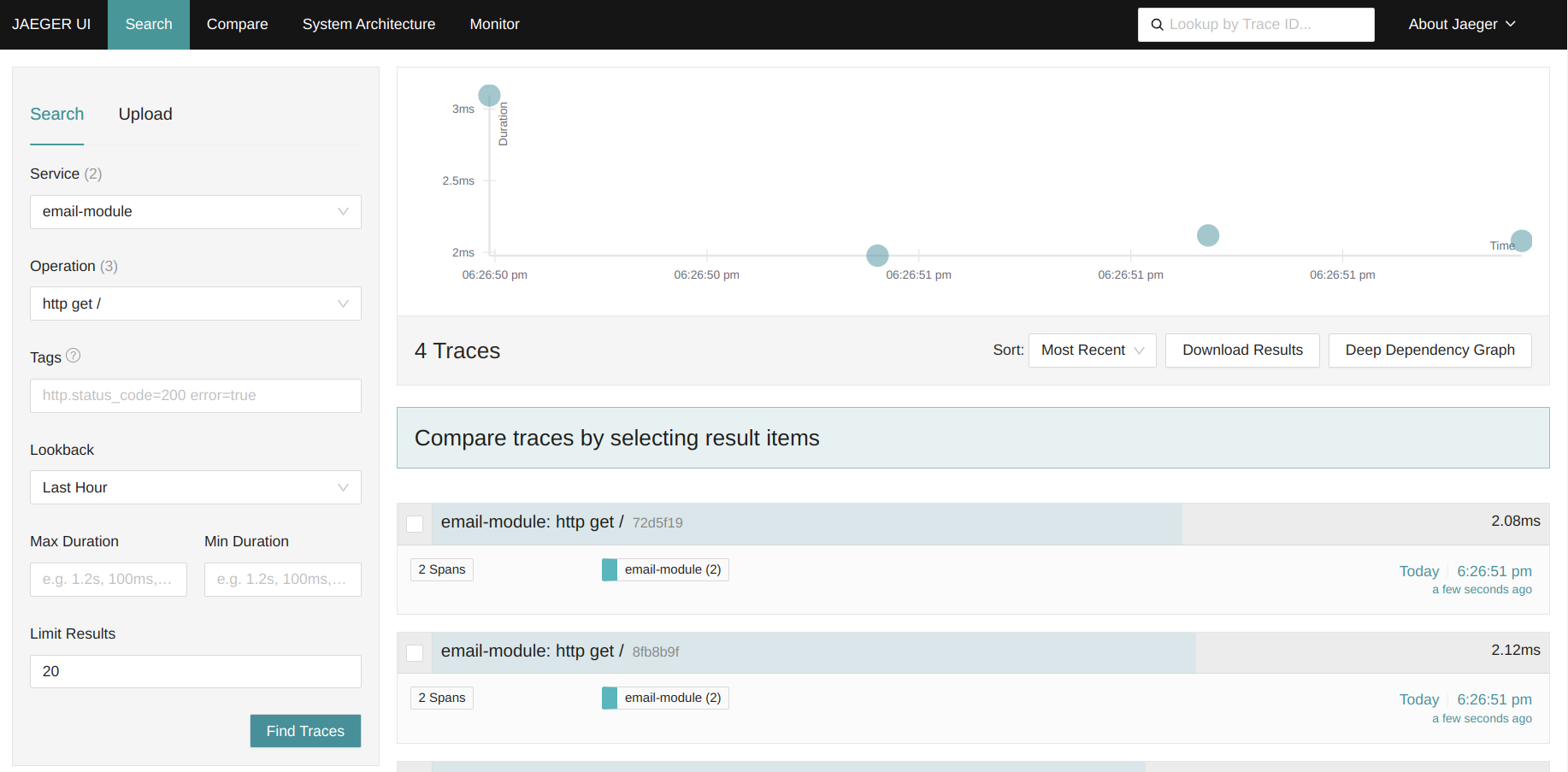
- Jaeger: Collects and displays tracing information.
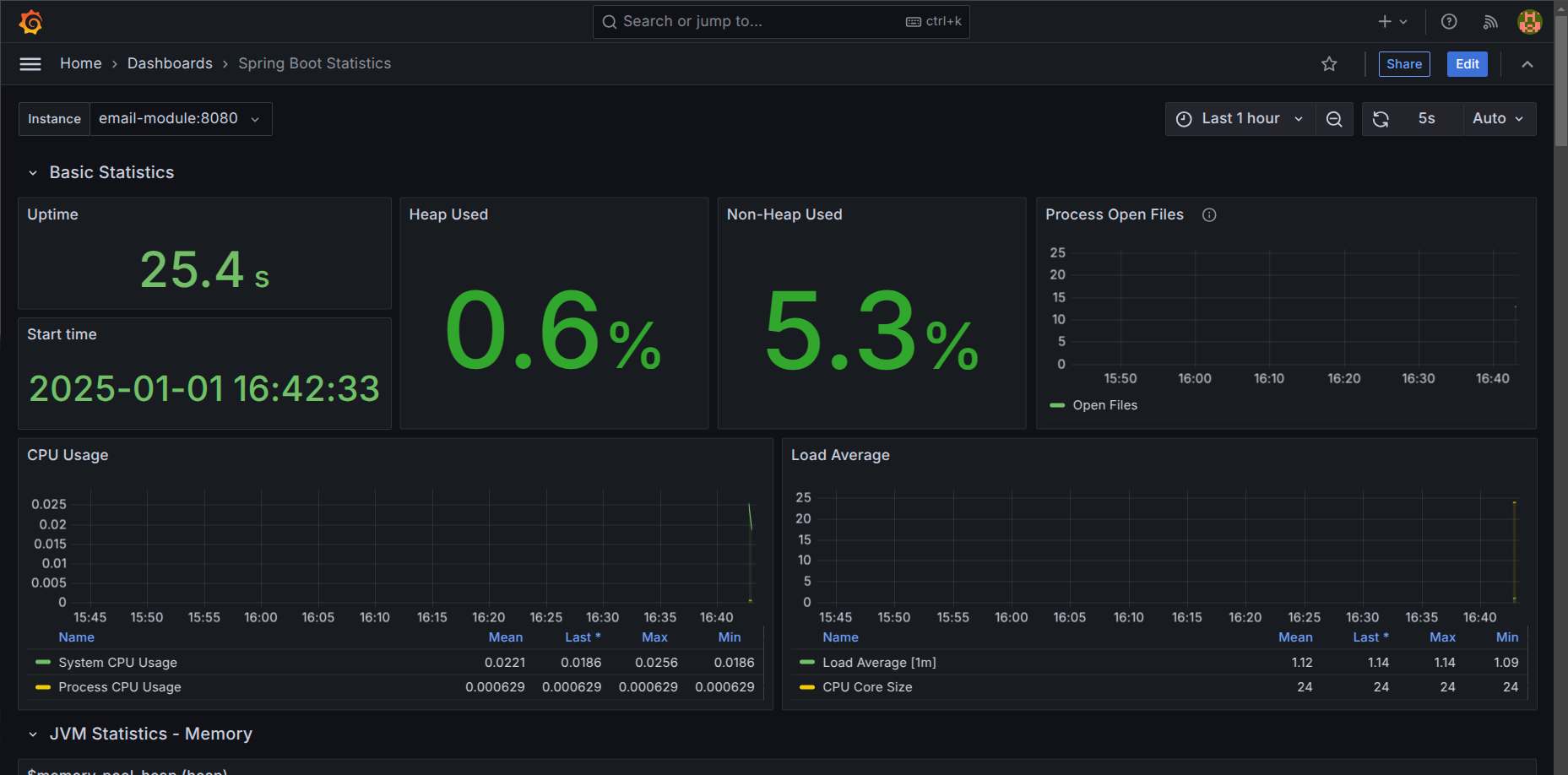
- Prometheus: Collects and stores application metrics.
- Grafana: Visualizes metrics in an intuitive interface.
NOTE: To enable tracing collection, set the
TRACING__ENABLEDenvironment variable to"true"in the container’s startup configuration.
View tracing informations in Jaeger:
App monitoring in Grafana:
local.env
The project includes a file named local.env, which stores the application details.
| Environment variable | Sample value | Description |
|---|---|---|
| APPNAME | file-store-module | The name of the application |
| VERSION | 0.0.1-SNAPSHOT | The version number of the application |
Building the Docker Image
To build the Docker image for this application, use the following command:
make build-docker-image
This command reads the configuration from the local.env file, builds the Docker image with the specified settings, and tags it according to the APPNAME and VERSION values in the configuration.
Loggin request and response details.
This Spring Boot application features a custom interceptor that logs detailed information about incoming requests and outgoing responses in JSON format. Each request and response log is enriched with a unique trace identifier REQUEST-ID that is also included in the response headers.
REQUEST-ID in Request and Response Headers
Adds or uses a custom header REQUEST-ID from the request to ensure traceability between request and response logs. If the REQUEST-ID header is not present in the request, a new one is generated and included in the response headers.